
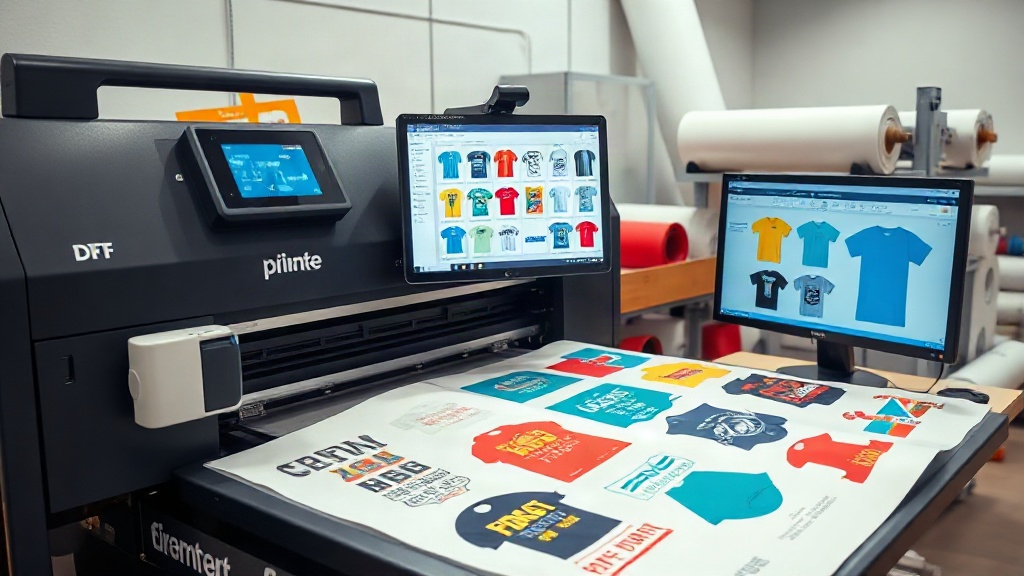
If you run a DTF printing business, you already know that efficiency and cost control are the keys to staying competitive. Every wasted inch of film, every minute spent manually arranging designs, and every misprint eats into your bottom line. That's where a dtf gangsheet builder comes in. This tool lets you combine multiple designs into a single sheet, optimizing your workflow and drastically reducing waste. In this article, we'll explore how a dtf gangsheet builder can transform your production process, and share actionable tips to get the most out of it.
What Is a DTF Gangsheet Builder?
A DTF gangsheet builder is software that allows you to arrange multiple DTF transfers onto a single sheet of film. Instead of printing each design separately, you nest them together like a puzzle, maximizing the use of your film and ink. The result is a 'gang sheet' that you can print in one pass, then cut and apply as needed.
This approach is not new; screen printers have used gang sheets for years to save time and materials. But with DTF printing, the benefits are even more pronounced because you can print full-color designs without setup costs. A good builder will automatically arrange your images, but you can also manually adjust them to fit your specific needs.
Why You Need a Gangsheet Builder
Manual gang sheet creation is tedious and error-prone. You might spend hours in Photoshop or Illustrator trying to fit designs together, only to realize you've left too much space or miscalculated dimensions. A dedicated builder automates this process, letting you focus on printing and fulfilling orders. It also helps you calculate costs accurately, so you can price your products profitably.
Key Features to Look for in a DTF Gangsheet Builder
Not all gangsheet builders are created equal. Here are the features that matter most for a production environment:
- Automatic nesting: The software should intelligently arrange designs to minimize wasted space.
- Custom sheet sizes: You need to match your film roll width (e.g., 13", 17", 22") and length.
- Design library: Ability to upload and store your designs for quick access.
- Cost calculator: Integration with ink and film costs to estimate job pricing.
- Export options: High-resolution output compatible with your DTF printer's RIP software.
Some advanced builders also offer features like mirroring, white ink management, and color profiles. If you're serious about scaling, invest in a tool that grows with your business.
How to Use a DTF Gangsheet Builder Effectively
Getting started is straightforward, but following best practices will ensure you reap the full benefits. Here's a step-by-step guide:
- Prepare your designs: Ensure each design is in a high-resolution PNG with transparent background. Clean up any stray pixels.
- Set your sheet dimensions: Input the width and length of your film. Remember that DTF printers have a maximum print width.
- Upload and arrange: Let the software auto-nest, then fine-tune placement. Group similar sizes together for easier cutting.
- Add cut lines: If your builder supports it, add cut lines or registration marks to simplify trimming.
- Calculate cost: Use the built-in calculator to determine ink and film usage, then set your price.
- Export and print: Save the gang sheet as a high-res file and send it to your printer.
Pro tip: Always print a test sheet on plain paper first to check layout and sizing before committing to film.
Benefits of Using a DTF Gangsheet Builder
The advantages go beyond saving a few dollars on film. Here's what you can expect:
- Time savings: Automating layout reduces prep time from hours to minutes.
- Cost reduction: Maximizing film usage can cut material costs by 20-30%.
- Increased output: Print more designs per hour, boosting production capacity.
- Consistency: Standardized layouts mean fewer errors and reprints.
- Scalability: Easily handle large orders with hundreds of designs.
For a small shop, these benefits can mean the difference between breaking even and turning a profit. For larger operations, they're essential for staying competitive.
Common Mistakes to Avoid
Even with a builder, some pitfalls can undermine your efficiency. Watch out for these:
- Overcrowding: Packing designs too tightly can cause cutting errors or ink bleeding.
- Ignoring orientation: Some designs need to be mirrored or rotated; always double-check.
- Forgetting bleed: Leave a small margin around each design for safe cutting.
- Using low-res images: Garbage in, garbage out. Start with high-quality files.
- Not updating software: New features and bug fixes can improve performance.
Avoid these mistakes by developing a checklist and training your team.
Integrating a Gangsheet Builder into Your Workflow
To maximize the benefits, integrate the builder into your existing production pipeline. Here's how:
- Order management: Connect your builder to your order system so designs are automatically pulled in.
- Team collaboration: Use cloud-based builders so multiple people can work on layouts.
- Inventory control: Track film and ink usage to reorder before you run out.
- Quality control: Inspect gang sheets before printing to catch errors early.
Many DTF printers also offer built-in gangsheet builders, but third-party options often provide more flexibility.
Frequently Asked Questions
What is the best DTF gangsheet builder for small businesses?
The best builder depends on your volume and budget. For small shops, affordable or free tools like DTF Gang Sheet Builder by DTF Mode offer essential features. Larger operations may benefit from advanced software with automation and integration.
Can I use a gangsheet builder with any DTF printer?
Most builders export standard file formats like PNG or TIFF, which are compatible with any DTF printer's RIP software. However, check that the builder supports your printer's maximum width and resolution.
How much can I save by using a gangsheet builder?
Savings vary, but many users report reducing film waste by 20-30% and cutting prep time by 50% or more. The exact amount depends on your design sizes and how efficiently you nest them.
Is it difficult to learn how to use a gangsheet builder?
Most builders have intuitive drag-and-drop interfaces. If you're familiar with basic design software, you'll pick it up quickly. Many providers offer tutorials and support.
Do I need a gangsheet builder if I only print a few designs at a time?
Even for small batches, a builder can save time and reduce waste. If you print frequently, it's worth the investment. For occasional printing, free tools may suffice.
Conclusion
A dtf gangsheet builder is more than just a convenience; it's a strategic tool that can significantly impact your bottom line. By automating layout, reducing waste, and streamlining production, you free up time to focus on growing your business. Whether you're a solo entrepreneur or managing a large print shop, incorporating a gangsheet builder into your workflow is a smart move. Start with a free trial, experiment with different layouts, and watch your efficiency soar.